
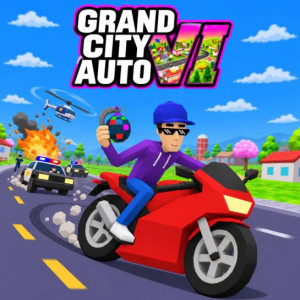
Grand City Auto VI
Play other games


In Grand City Auto VI, you find yourself in the midst of an exhilarating urban playground where you set the pace. Do you want to indulge in the thrill of racing away on busy streets, piloting a helicopter high above the skyscrapers, taking on hazardous missions, or creating chaos using various lethal weapons? The choice is all yours, and everything comes along with the thrill.
This fantastic title is an open-world action game where driving, shooting, exploration, and character-based skills are at the forefront. Featuring numerous neighborhoods and a great choice of vehicles to drive, there is always something to see and do.
Welcome to a City Without Limits!
Grand City Auto VI presents an impressive 3D world featuring all types of places waiting to be explored. The map includes not only four neighborhoods, but also an island and even icy locations close to the North Pole.
The players can roam around the urban environment freely, find hidden spots, enter buildings, collect stuff, and participate in various activities. The game doesn’t limit players’ activities to just completing quests; it is a means to entertain yourself and create unforgettable adventures.
Steal Cars, Fly Aircraft, and Build Your Collection
Grand City Auto VI became popular with gamers because of the rich vehicle collection. Players can choose from a range of vehicles and not only 'normal' cars. In fact, players can drive various vehicles, among which are:
- Fast sports cars that offer speed for street racing
- Motorcycles that can easily manoeuvre on the roads
- Helicopters that can help to see towns and cities from above
- Jet planes for more excitement in the air
- Tanks that can provide ultimate power on land
- UFOs that offer the most unique travel experience possible
Gamers can also experience different driving options by upgrading their vehicles. They can earn money by completing missions and/or other activities and buy better transportation vehicles with earned money.
Complete Missions and Earn Money
Making money within Grand City Auto VI is an important part of gameplay. Instead of just moving around the map without any purpose, players can earn money by doing multiple in-game activities.
Complete missions, perform stunts, drive a taxi, and do other activities to earn money.
Use the money you earned to buy weapons, vehicles, garages, and upgrades.
Grand City Auto VI Controls
On Foot
W/A/S/D or Arrow Keys: Move around.
Space: Jump.
F: Enter vehicles, open doors, pick up items, or purchase things.
Q/E: Switch weapons.
X: Activate slow motion.
Tab: Open the phone.
M: Open the map.
Esc: Pause the game.
1/2: Switch characters.
Driving
W/S: Accelerate and brake.
A/D: Steer.
Space: Use the handbrake.
Left Shift: Activate nitro.
C: Change camera view.
R: Reset the vehicle.
Shift + E: Exit the vehicle.
Helicopter Controls
W/S: Move up and down.
A/D: Turn.
Arrow Keys: Tilt the helicopter.
Plane Controls
W/A/S/D: Control flight.
R/F: Adjust throttle.
Q/E: Control the rudder.
Mouse Controls
Mouse Movement: Look around.
Left Click: Shoot.
Right Click: Aim.
Mobile Controls
Left Joystick: Move your character.
Drag Anywhere: Look around.
On-Screen Buttons: Shoot, aim, jump, interact, and drive
Similar Games
Show more »
All free games for you





















Discuss: Grand City Auto VI